



Game Overview
What is Minecraft?
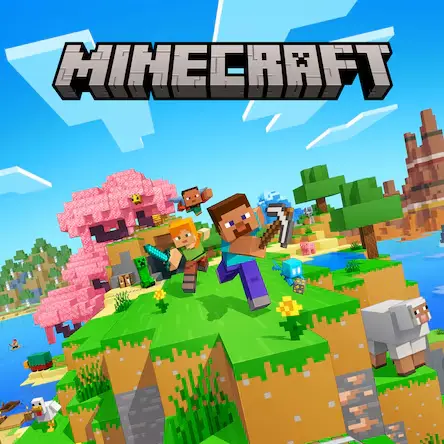
Minecraft is a block-based sandbox adventure game built around freedom of choice. Instead of following one fixed path, you shape the world by mining blocks, placing materials, crafting useful items, and deciding whether to explore, build, survive, or experiment.
The appeal comes from how simple actions connect into deeper goals. Chopping wood can lead to tools, tools can lead to mining, mining can lead to stronger equipment, and a small shelter can gradually become a farm, a castle, a redstone machine, or a long-term survival base.
This page focuses on the browser-play experience: how to start, what to pay attention to, and how the main controls support building, movement, inventory use, exploration, and survival decisions.
Getting Started
How to Play Minecraft Online
Minecraft is easiest to understand when you treat the first minutes as preparation. Your early goal is not to build the biggest structure immediately, but to learn the surroundings and create a safe base for the next steps.
- Look around first. Identify trees, open land, caves, water, and nearby hills before choosing where to start building.
- Collect basic materials such as wood and stone so you can craft simple tools instead of doing everything by hand.
- Build a small shelter or safe area before night or danger becomes a problem in survival-style play.
- Use your inventory and hotbar carefully. Keeping tools, blocks, and food easy to reach makes exploration safer.
- Expand gradually. A small base, a mine entrance, a farm, and a storage area are more useful than a large unfinished build.
Keyboard & Mouse
Minecraft Controls
Survival Strategy
Smart Early-Game Priorities
Minecraft rewards planning more than rushing. Good early choices make the world easier to explore and give you room to be creative later.
- Start with practical resources before decorative building. Wood, stone, tools, and light sources matter first.
- Avoid entering deep caves without a clear way back, enough blocks, and a plan for lighting dark areas.
- Mark important places visually so you can find your base after exploring.
- Keep useful items in predictable hotbar slots, such as tools, blocks, food, and torches.
- Build in stages. A safe starter shelter can become a storage room, workshop, farm, or larger base over time.
Building Notes
Building Better Structures
Minecraft building is not only about size. Readable shapes, useful interiors, and simple material contrast often make a build feel better than a huge empty structure.
- Begin with the footprint. Decide the width, height, and entrance before filling every wall.
- Mix a few compatible block types instead of using too many unrelated materials.
- Leave space for storage, crafting, beds, farms, and paths so the build is useful, not only decorative.
- Use windows, roof shapes, stairs, slabs, or fences to break up flat walls.
- Expand from a central base instead of scattering too many unfinished structures across the world.
FAQ
Minecraft FAQ
What type of game is Minecraft?
Minecraft is best described as a sandbox adventure game. It combines block-based building, resource gathering, crafting, exploration, and survival-style decision making.
Is Minecraft only about building?
No. Building is a major part of the game, but players can also mine resources, craft tools, explore caves, manage survival needs, fight enemies, farm, and experiment with systems like redstone when available.
What should beginners do first?
Beginners should collect basic resources, learn movement and inventory controls, create simple tools, and build a small safe shelter before focusing on larger projects.
Why are the controls more detailed than many browser games?
Minecraft uses movement, camera control, block placement, inventory management, item selection, and interaction at the same time, so learning the keyboard and mouse layout is important.
Can I play Minecraft in a browser?
This page uses a browser-based play source. If the embedded version does not load correctly, replace the iframeUrl with a working embeddable source for the version you want to host.