







Game Overview
What is Rail in the Air?
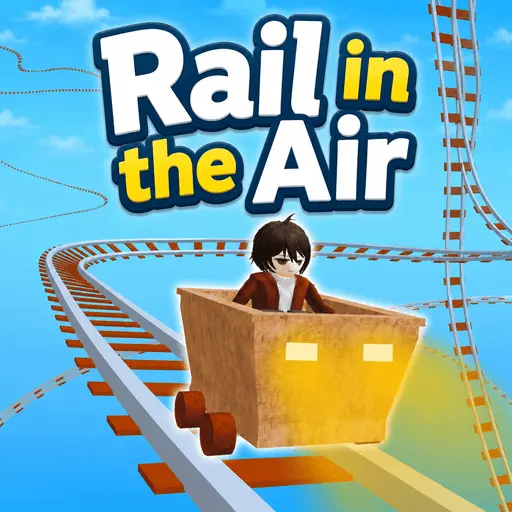
Rail in the Air is a sky rail driving game where you control a small cart on tracks suspended high above the ground. The goal is simple: stay on the rails, manage speed carefully, and survive curves, slopes, and narrow sections without flying off the track.
The challenge does not come from complex controls. It comes from speed judgment. Accelerating too long can make the cart unstable before a turn, while braking too early can leave you without enough momentum for climbs or uneven track sections.
Rail in the Air works well as a short skill game because each failed run teaches a clear lesson. Most crashes are caused by entering a curve too fast, braking too late, or reacting only after the track has already changed direction.
Core Mechanics
Speed Control on Floating Tracks
Rail in the Air is less about racing at full speed and more about reading the track ahead. Straight paths let you build momentum, but sharp turns and descending sections require early braking. Good runs usually come from small throttle adjustments instead of holding accelerate nonstop.
The floating track layout makes every mistake more visible. When the cart leans outward or enters a curve too quickly, there is often very little space to recover. Staying centered on the rail matters more than reaching the next section quickly.
Controls
Controls
Strategy
Tips for Better Runs
Rail in the Air rewards calm inputs. Treat speed as something to manage section by section, not something to maximize all the time.
- Brake before the turn, not after the cart is already drifting toward the edge.
- Use short acceleration taps on straight sections instead of holding W or Up Arrow continuously.
- Look one or two turns ahead so you can slow down before the track changes direction.
- Use R quickly after a fall to restart the attempt and keep the track pattern fresh in memory.
- On narrow rails, prioritize staying centered over reaching the next stage faster.
Mistakes
Common Mistakes
Most Rail in the Air crashes happen because the cart has too much speed before the player understands the next track shape.
- Holding accelerate through every section and losing control before a curve.
- Braking only after the cart has already started sliding outward.
- Ignoring downhill speed, which can make the next turn much harder to survive.
- Trying to recover with large inputs instead of making small corrections.
- Forgetting to use the map or respawn options when practicing later stages.
FAQ
Rail in the Air FAQ
What kind of game is Rail in the Air?
Rail in the Air is a sky rail simulation and driving game where you control a cart on floating tracks and try to survive increasingly dangerous layouts.
Who created Rail in the Air?
Rail in the Air was created by OPlay Games.
How do you control Rail in the Air?
Use W or the Up Arrow to accelerate, S or the Down Arrow to brake, C for the cart option, M for maps, R to respawn, and Escape for exit or menu behavior when supported.
Is Rail in the Air mobile friendly?
Yes. Rail in the Air can be played on desktop and mobile devices, but keyboard controls are still the clearest option on desktop.
What is the best strategy in Rail in the Air?
The best strategy is to slow down before dangerous turns, use short acceleration taps, and read the next section of track before committing to speed.